01 · Projects
Every EPC project, with schedule, value, health and manager
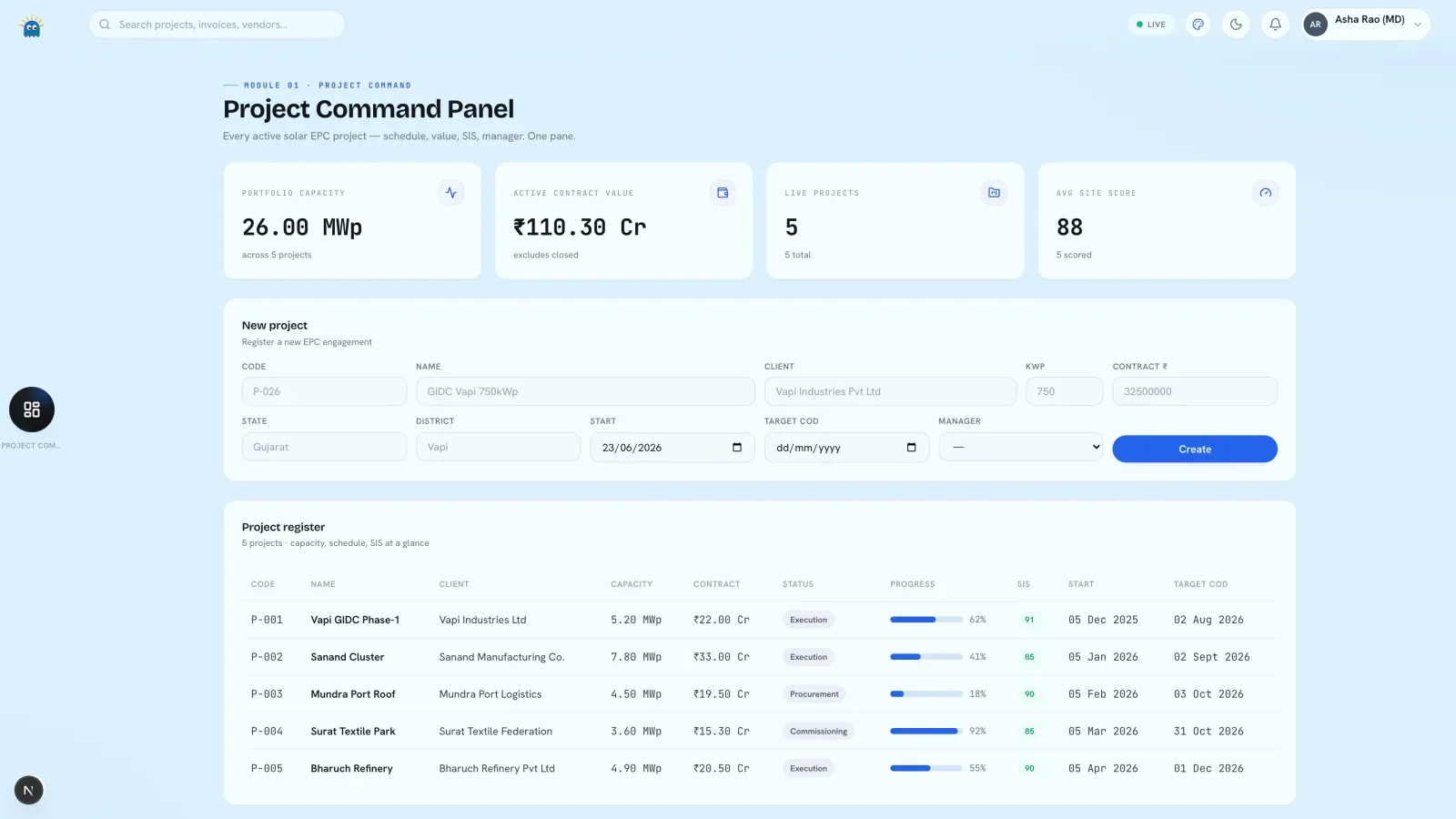
Every project on one screen with value, status, progress, health and commissioning date. Open a row for its schedule, field logs and machinery.
SoftSolSolar EPC operating system
Every project, lot of stock, crew, crane, purchase order, GST invoice and site report in one database, with a 0 to 100 health score on every site. It runs on your own machine, and on the desktop the AI model runs there too.
macOS desktop app today · or one always-on server you control
Headline figuresNew projectRegister
The execution layer
Design and proposal tools serve the phase before a contract is signed. ERP is built for far larger firms. The build phase in between, when modules arrive at a port, crews are mustered, cranes are hired and milestones are billed, runs on whatever the site engineer has to hand.
SoftSol is built for that phase and for the three people who run it: the owner who wants the portfolio on one screen, the project manager who runs the site, and the supervisor who logs the day.
Before and after
An EPC in the build phase already has a system, spread across five apps owned by five people, none of which can be queried. SoftSol replaces each habit with a module that writes to one database.
WhatsApp site groups
Field App and Comms. A supervisor scans a QR, marks material received and logs the day from a phone. Chat and incident alerts stay attached to the project.
Excel material trackers
Inventory. Every lot carries a unique QR and moves through seven states, from in transit to installed, damaged or returned.
PDF progress decks
Reports and Audit Reports. Reporting comes from live records; inspections become scored findings with a date and a site.
Phone calls to vendors
Vendors and Purchase Orders. Vendor ratings, numbered purchase orders and a forecast of what to buy and when.
Photo dumps in Drive
Field App and Audits. A site photo is taken against a project and a date; an inspection photo sits on its finding.
27 modules
The six daily screens
01 · Projects
Every project on one screen with value, status, progress, health and commissioning date. Open a row for its schedule, field logs and machinery.
02 · Deals
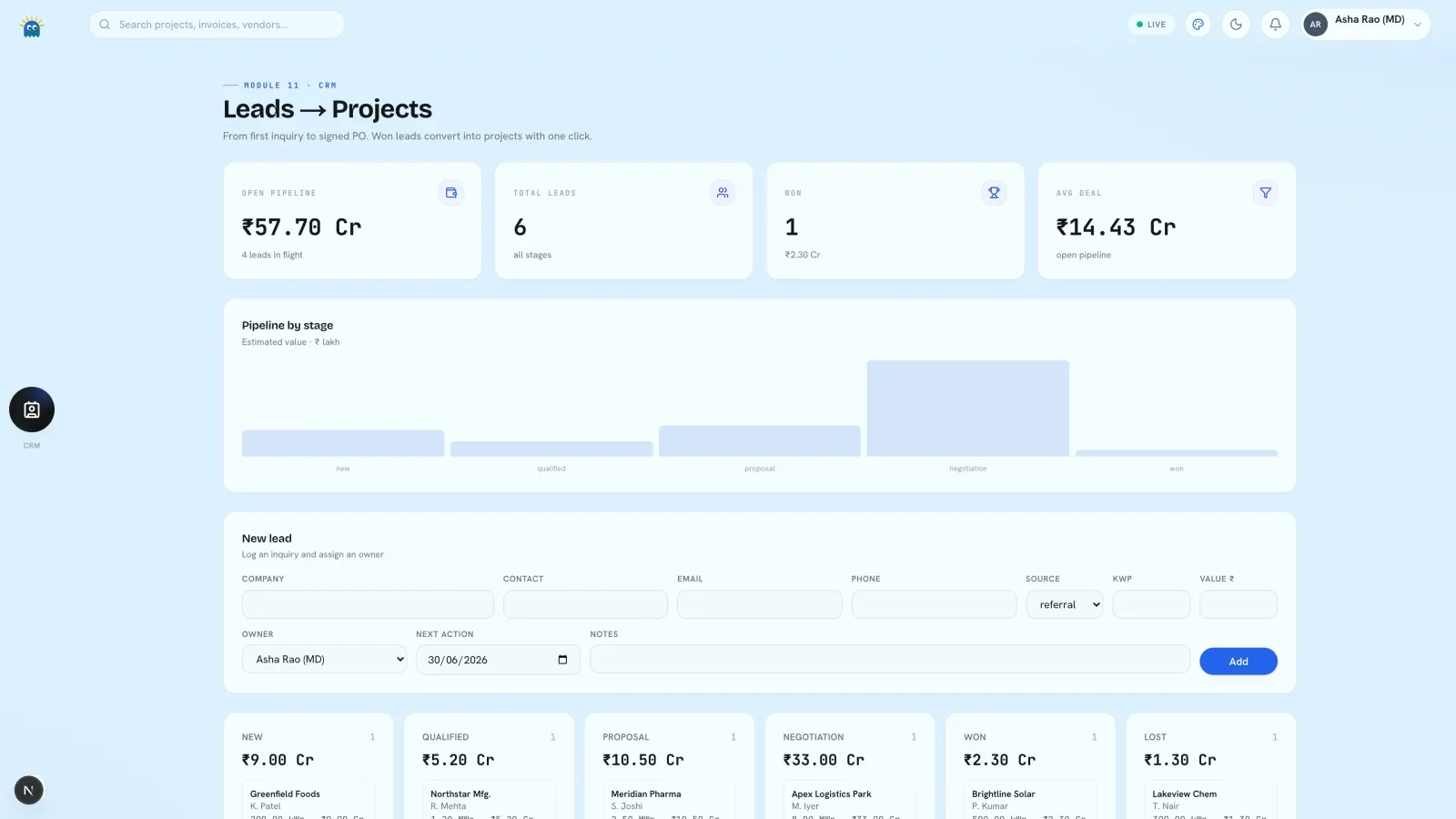
Leads move from new to won or lost, each with a value, an owner and a next action. A won lead becomes a project with one click.
03 · Quotes
Type a system size and customer type; get a priced bill of materials with subsidy, payback and a branded proposal. The client's first document comes from the same workspace.
04 · Inventory
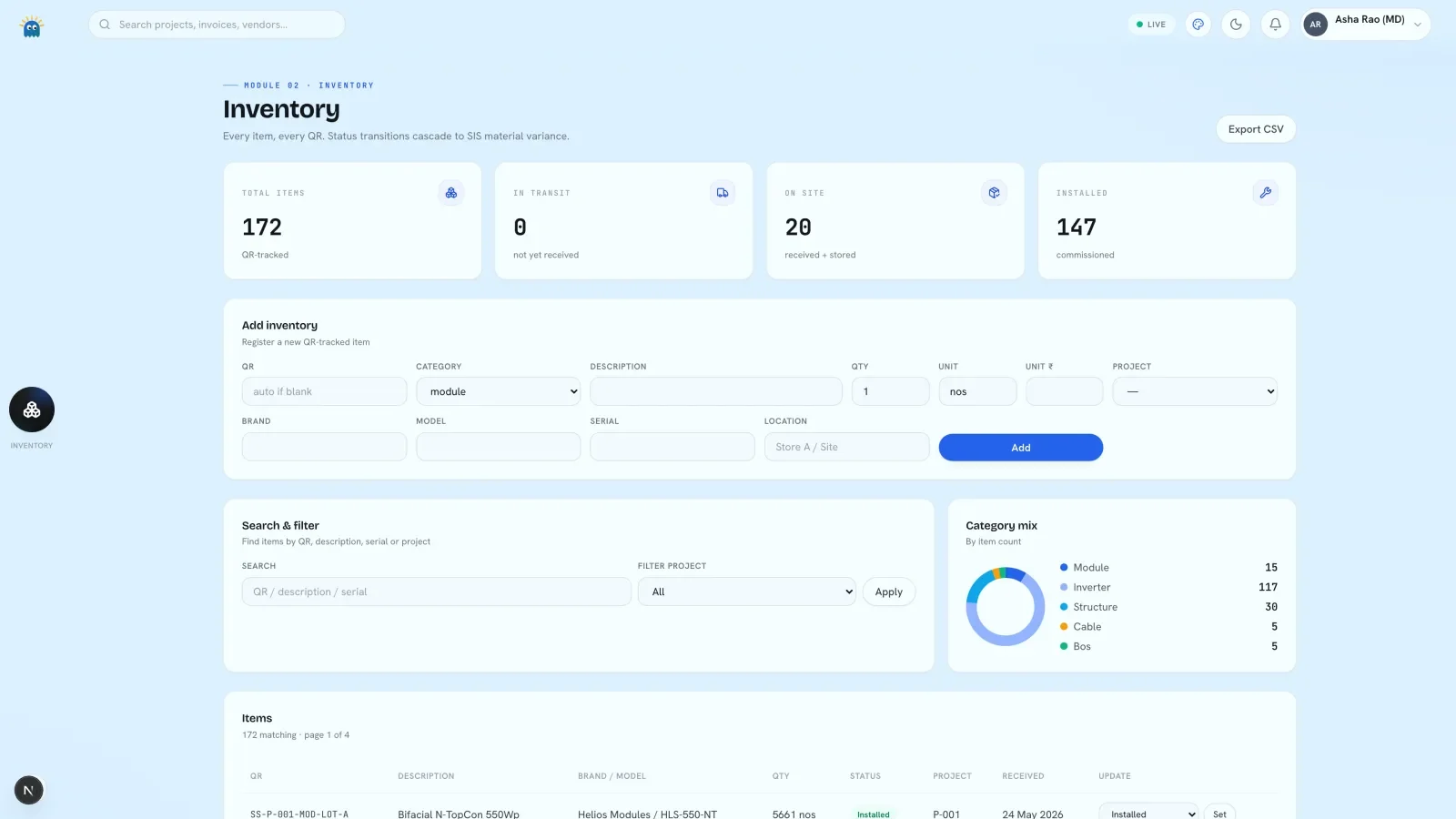
Each lot is logged with brand, model, serial and location, and scanned at every move. The register exports to CSV.
05 · Billing
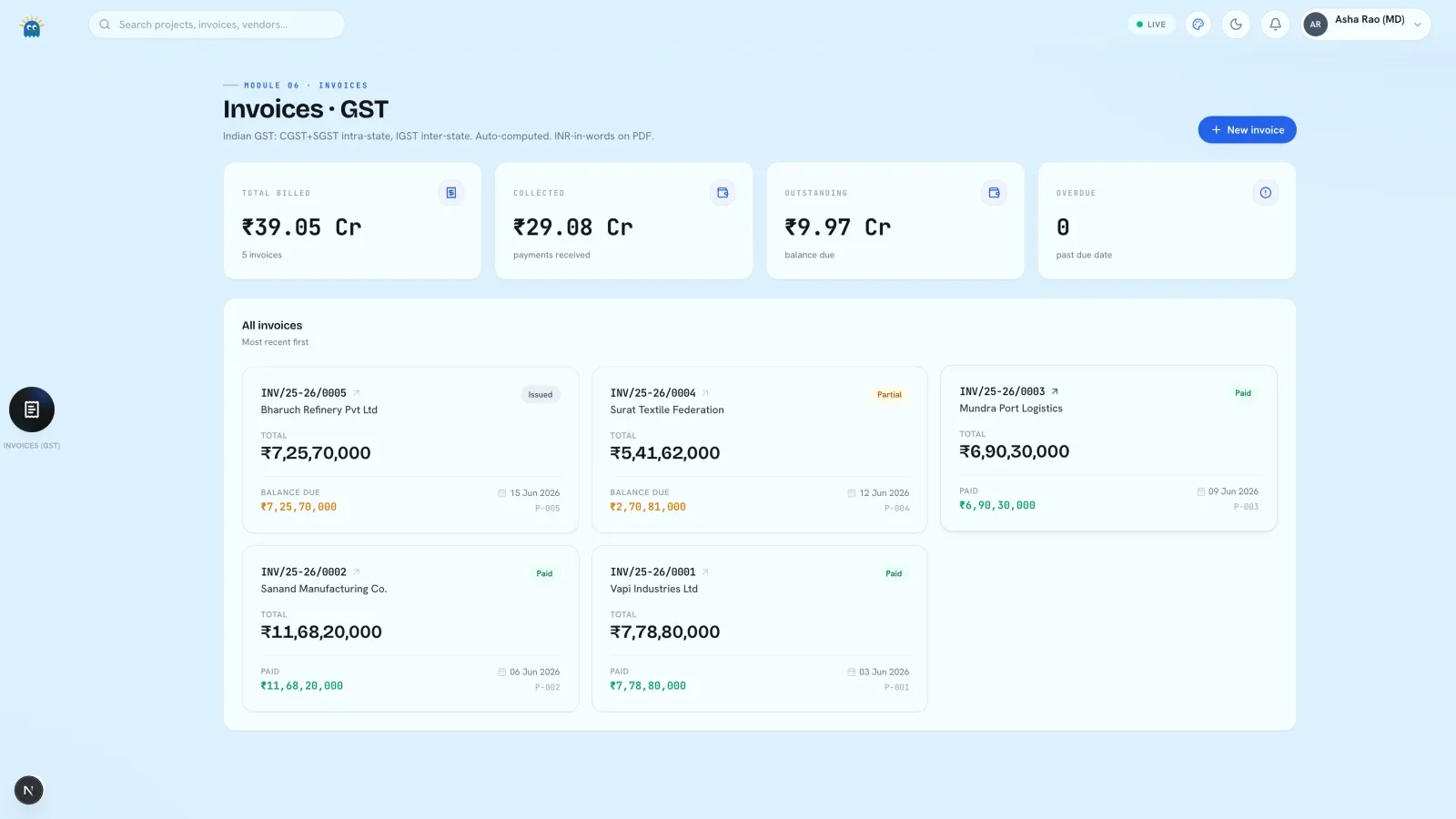
GST invoices with HSN or SAC codes and the tax split done for you. Each invoice shows balance due and payment status.
06 · Reports
The month-end picture on one page: billed against contract, spend by project, dues and every site's health band. Nobody prepares a deck.
One click behind them
07
Client and vendor drafts, in your voice.
08
EPC scope to standards, scaled to capacity.
09
BOQ, single-line diagram, array layout, permit pack.
10
Payback, IRR and lifetime savings.
11
Component price trends, leadership only.
12
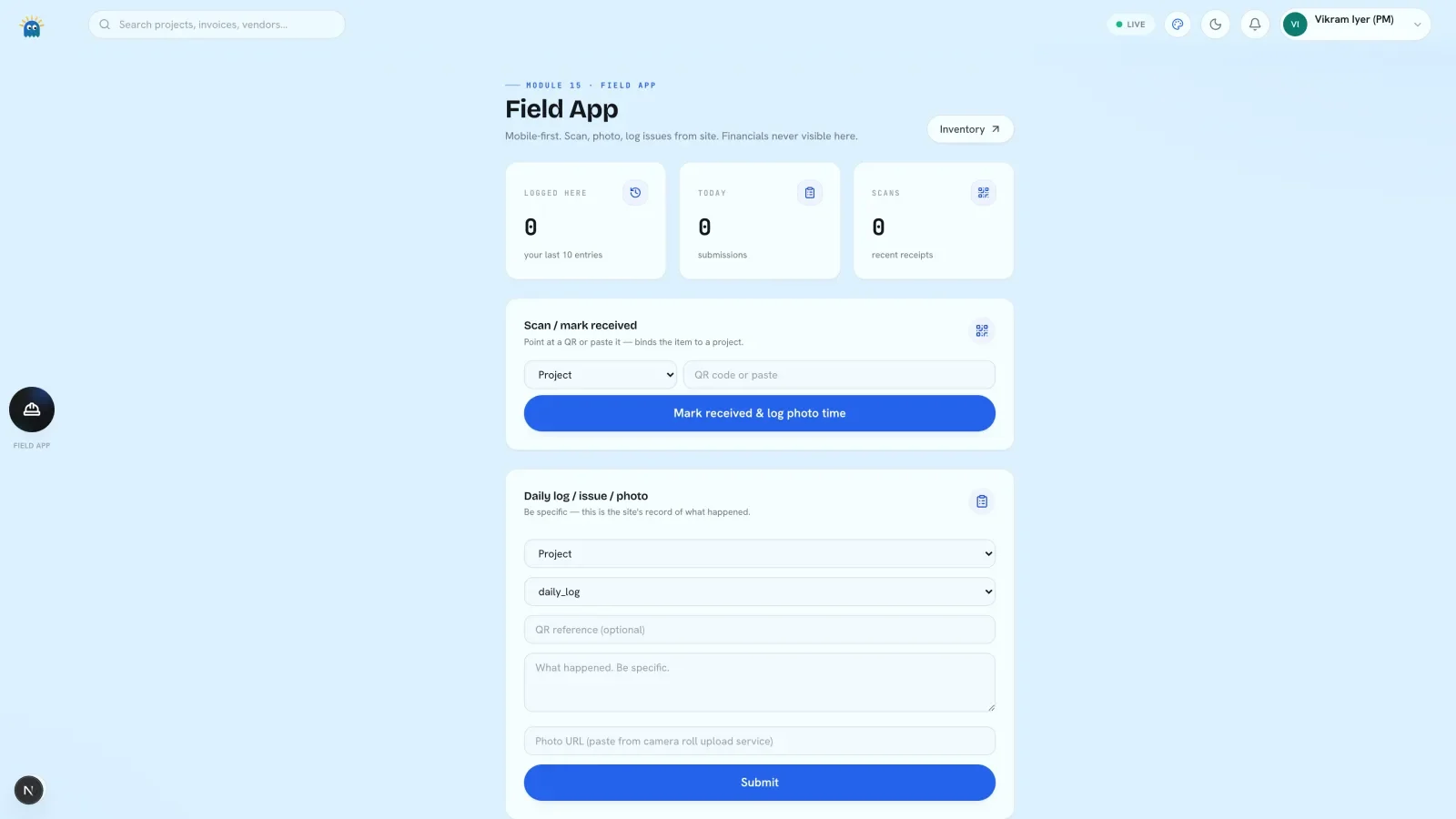
Scan, photograph and log from site.
13
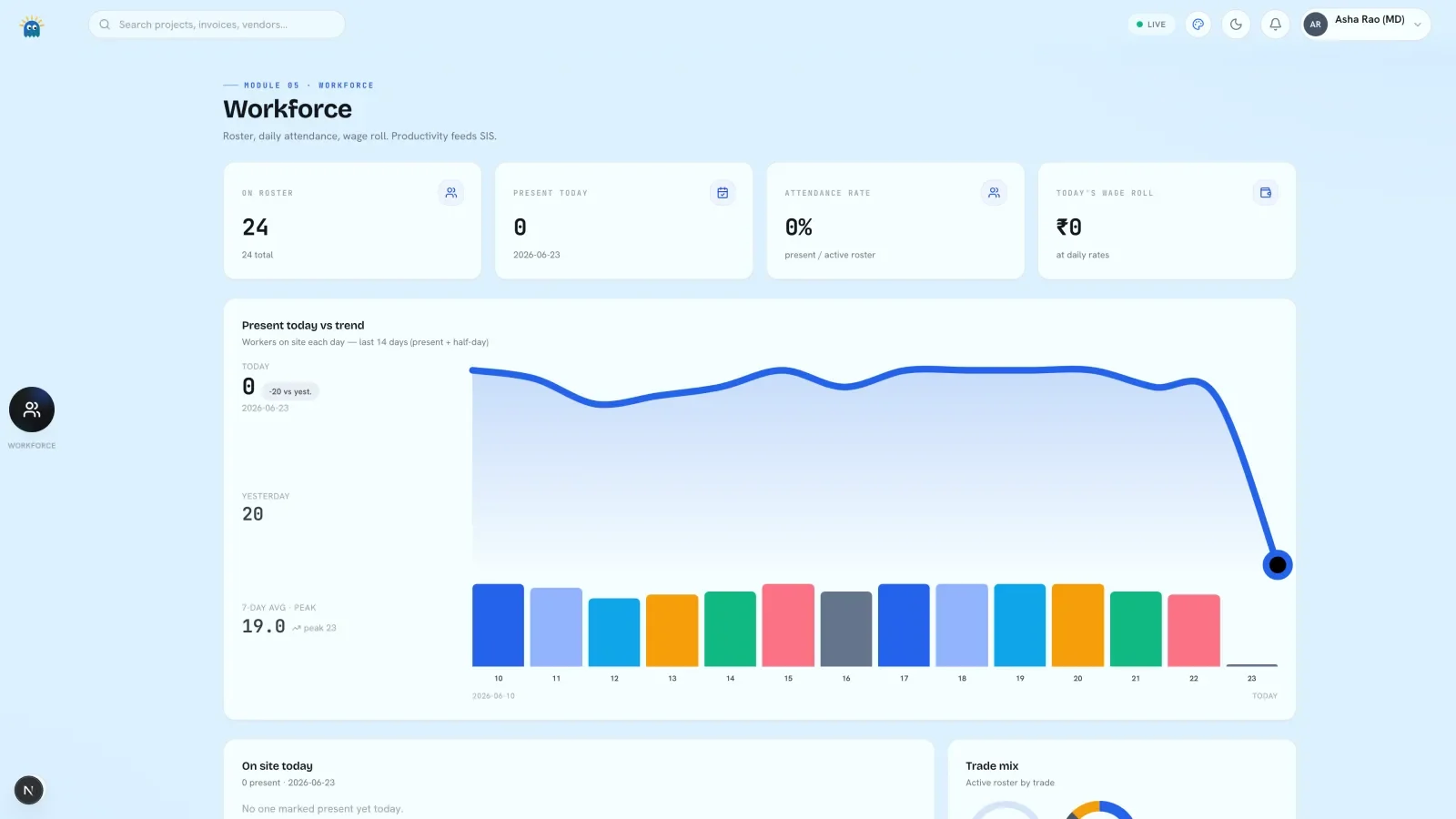
Roster, trades, rates and attendance.
15
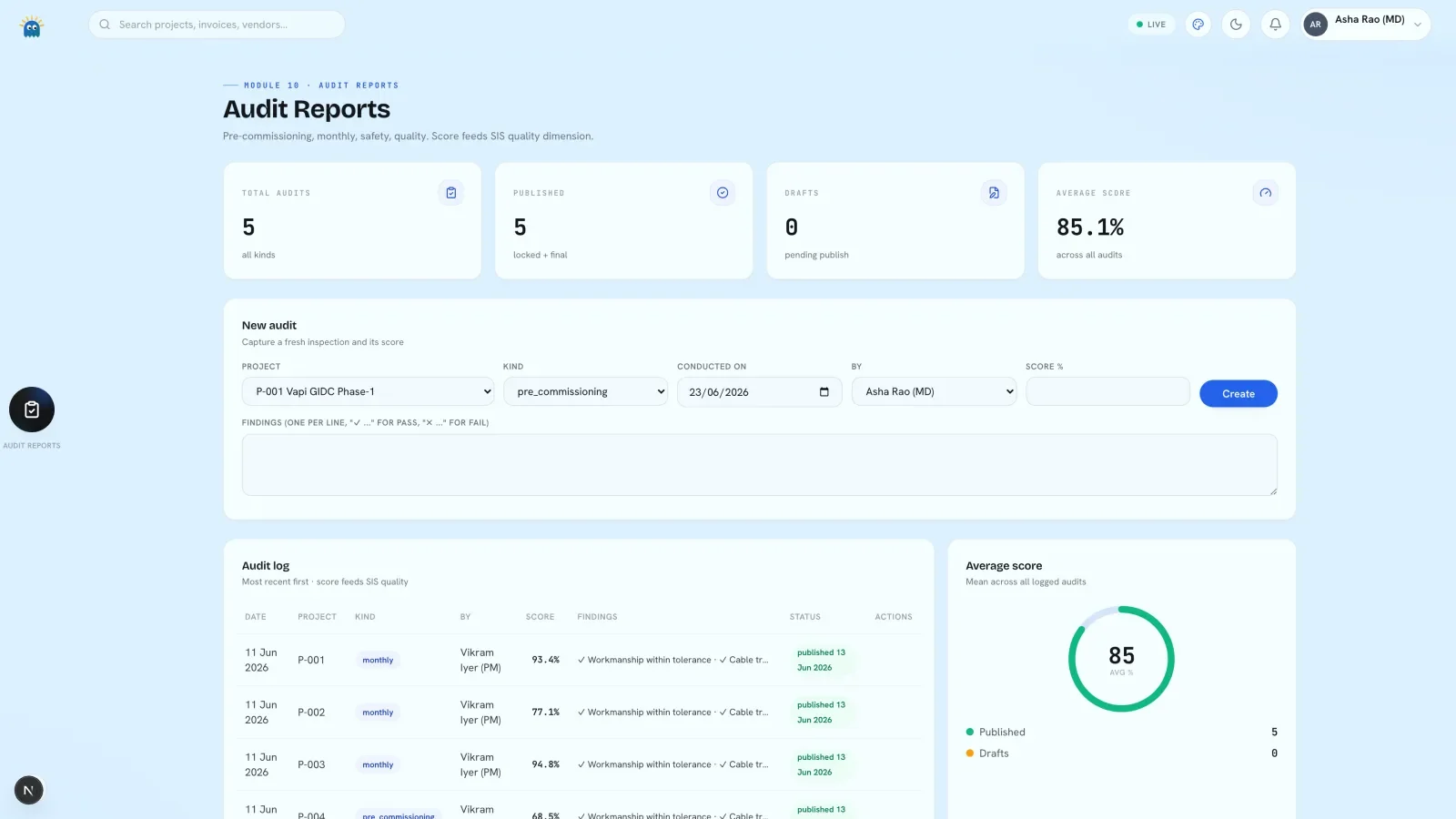
Scored quality and safety inspections.
16
Portfolio trends across your own projects.
17
Vendor ratings and numbered purchase orders.
18
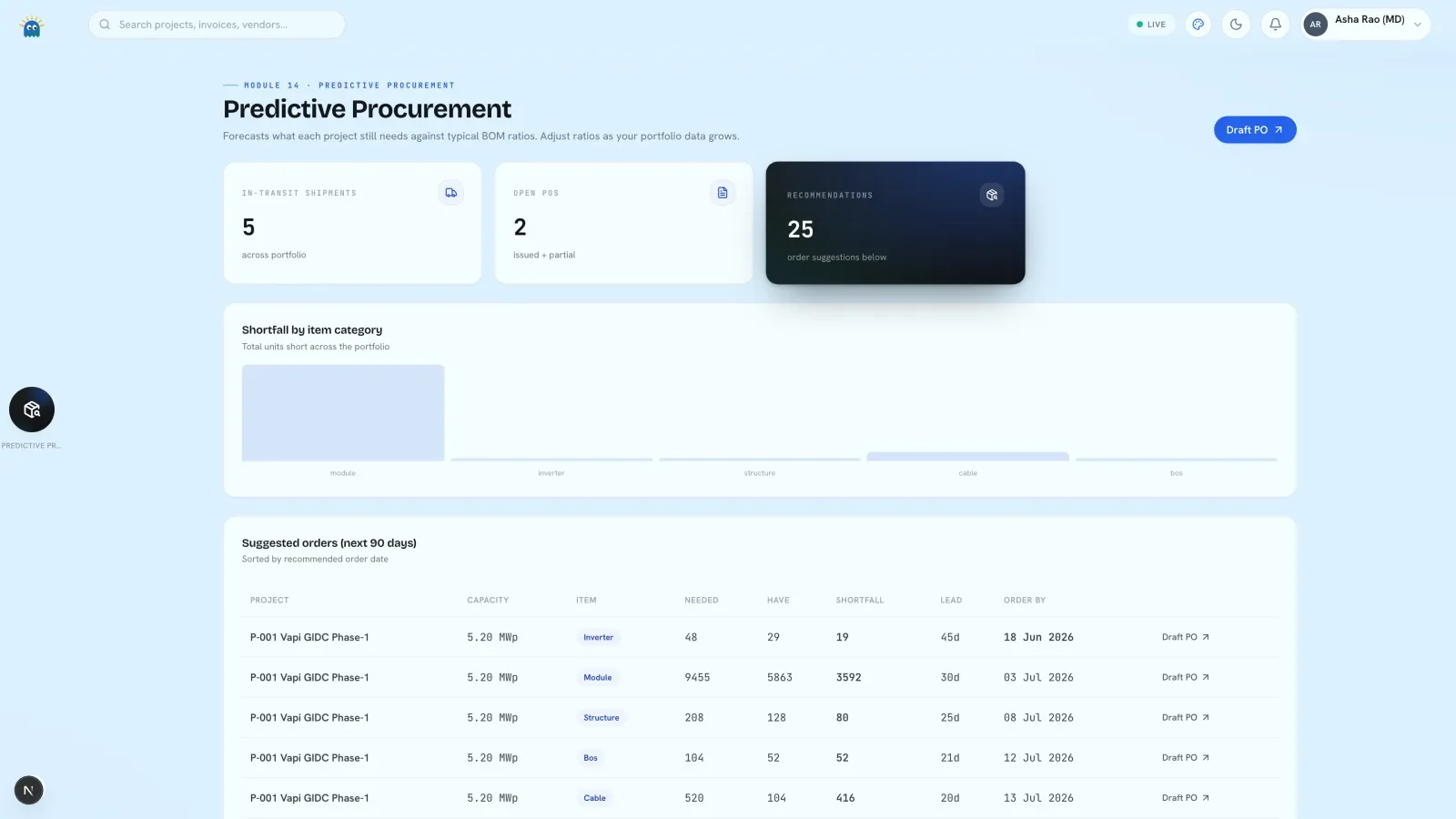
What to buy and when.
19
Trips, freight cost and delivery status.
20
Owned and rented fleet, hours and service.
21
Spend by project, with approvals.
22
Your tasks, checklists and raised issues.
23
Team chat, voice notes and incident alerts.
25
A live graph of the company.
26
People, roles and invites.
27
Gmail, Drive and Tally, read-only.
Site Health
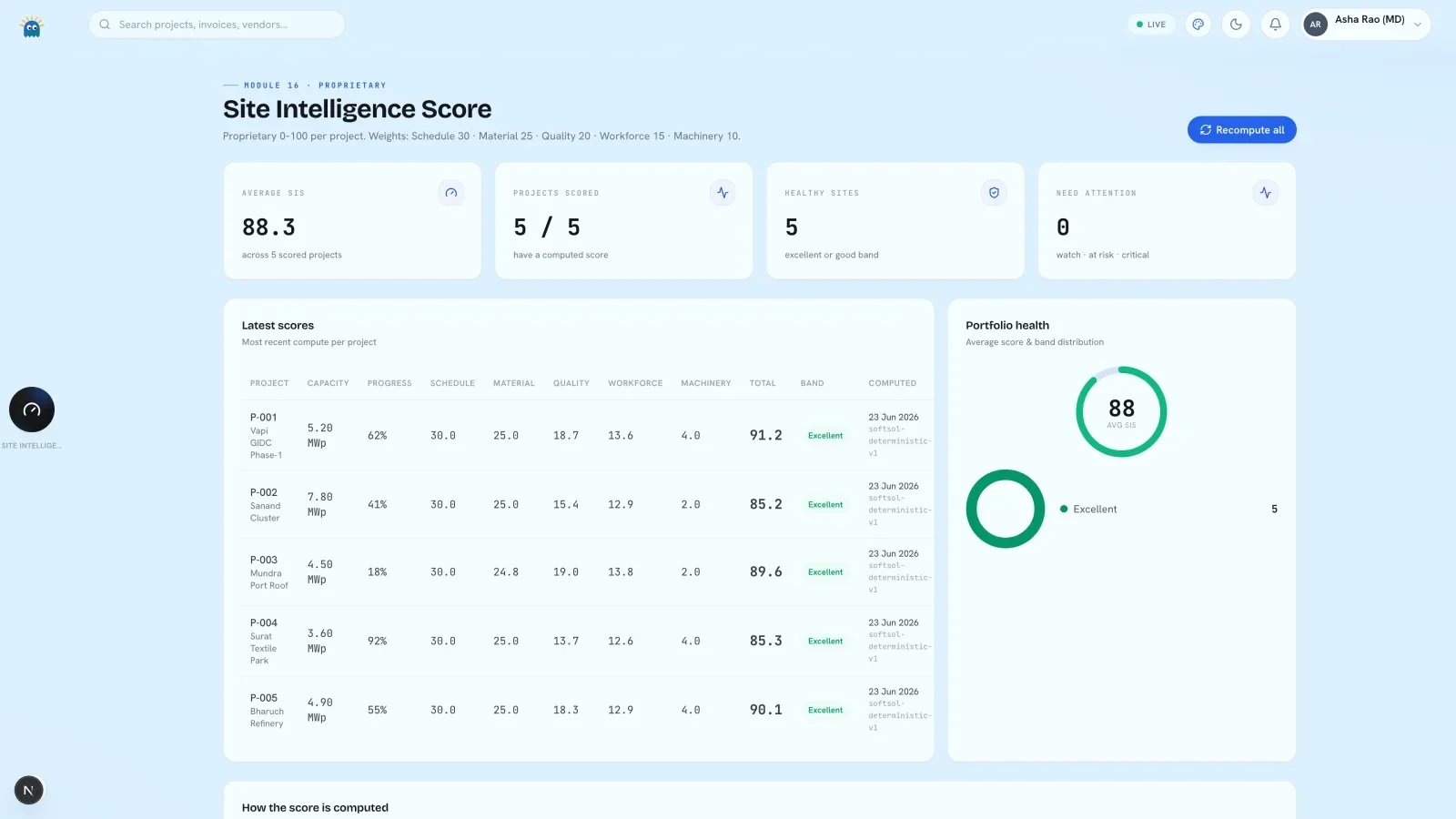
The Site Intelligence Score is a 0 to 100 figure per project: a weighted sum of five inputs read from the project's own records, with no rating typed in by hand. Schedule adherence is weighted 30, material variance 25, quality 20, workforce 15 and machinery utilisation 10. Quality is the last audit's score; workforce is the last fourteen days of attendance.
Bands run from Excellent at 85 and above, through Good at 70, Watch at 55 and At risk at 40, to Critical below that. Every computation is kept as its own row, so a site's history is a table you can read.
Portfolio figuresLatest scoresPortfolio health
Access
Leadership sees everything except the phone-sized Field App. A project manager gains the Field App and loses the Price Tracker. Field staff see six screens, with no financial figure on any of them.
The check runs on the server for every page, so a field login that types the billing address into the browser is sent back to its own screens.
| Role | Modules | Withheld |
|---|---|---|
| Leadership | 26 of 27 | Field App |
| Project manager | 26 of 27 | Price Tracker |
| Field | 6 | Every financial figure |
| Vendor | Scoped to what a vendor needs | Everything internal to the workspace |
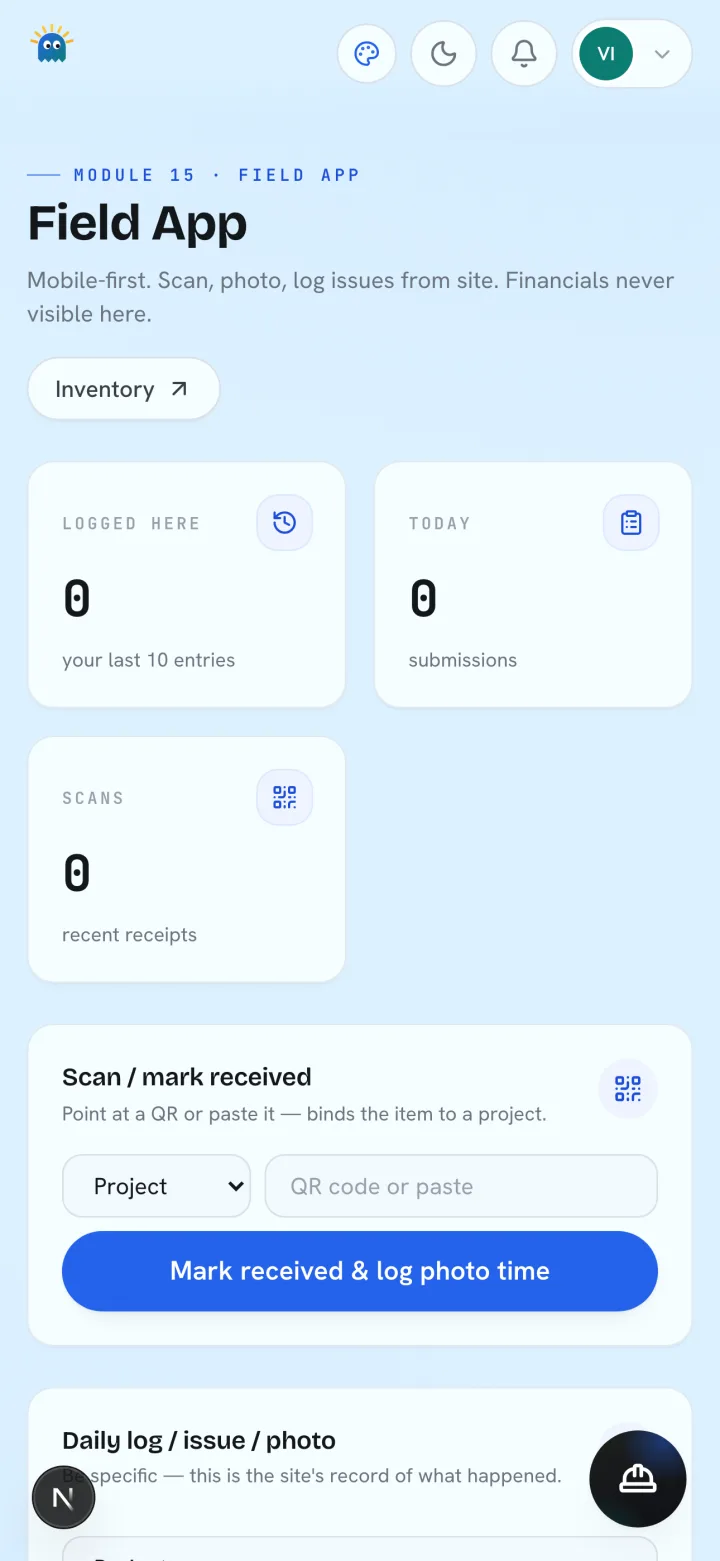
The Field App, as field staff see it.
Import
SoftSol reads CSV, Excel, PDF reports with a text layer and Tally, as an export or live over Tally's own gateway.
Each file is classified, mapped to fields, validated row by row and previewed. Money and date cells that cannot be parsed are rejected rather than guessed. Only after you confirm does anything write.
| Record types | Projects, vendors, workforce, leads, inventory, expenses |
|---|---|
| Formats | CSV, Excel, text-layer PDF, Tally export, Tally live |
| Per drop | Up to 12 files, 8 MB and 5,000 rows each |
| Before it writes | Previewed and confirmed by you |
On-device AI
The desktop app carries its own language model, running on your machine. The server build has no model unless one is configured, and uses fixed templates instead.
Teammates run six micro-tasks. Each gathers its facts from your records first; the model writes them up, and every draft is checked against them before use.
| Where it runs | On your machine, inside the desktop app |
|---|---|
| Cloud calls | None |
| Money check | Every rupee figure must match your records |
| If a draft fails | A fixed template is used, and the run says so |
Deployment
One database file, on a machine you control. Which shape fits is the first thing settled on the call.
Desktop app
The database sits in your user library and the AI model installs alongside, fetched once on first run or bundled for a site with no internet.
Always-on server
The same software runs as one always-on container on a machine you control. Every change is streamed to storage in your name, with thirty days of history and a tested restore.
Security
Industry-standard password hashing with a per-user salt.
Session cookies are signed with a server secret and verified before any lookup, so an edited cookie is rejected outright.
Role checks run on the server at the top of every module page.
Every record belongs to one workspace, and the server checks that on every query.
The server refuses to start without a session secret, and Connections tokens are stored encrypted, read-only.
Built inside an EPC
SoftSol was built and runs inside Biosel Solar Pvt. Ltd., the solar EPC where the founder is CTO. Biosel is a related party, the founder's father's company, and SoftSol's one deployment rather than a customer.
Every module was shaped by someone who answers the client on Monday, signs off the crane invoice on Tuesday and finds the damaged pallet on Wednesday. The seven inventory states, the fourteen-day attendance window, the rule that field staff never see money: those decisions were made on site at the EPC.
Questions
The same software either way. On a Mac it installs as an app, with the database and AI model on your disk. For a team it runs as one always-on server you control.
The desktop build needs an Apple-silicon Mac. The server build needs one small machine, reached from any browser. Field staff need a phone.
Yes, with a preview first. Tally, CSV, Excel and text-layer PDF reports are read and validated row by row. Nothing writes until you confirm.
There is no self-serve plan and no online purchase. It is scoped on a call and agreed in writing before anything starts.
With you. On the desktop, a single database file in your user library. On a server, one file on a disk you control, backed up in your name.
EPC firms in the build phase: owners, project managers and site supervisors. Neither a design tool nor an ERP.
A short wizard sets up your company and team, then a guided tour walks one deal from lead to invoice. History depends on how clean your files are.
Bring one project, one Tally export or one inventory sheet. On the call it goes through the importer in front of you, and the product is walked through on your own figures.